LED Lighting
LED modules — 3mm, 5mm and SMD sizes, ready modules with a built-in resistor. Indicator lights, status LEDs and the first Arduino “blink” lesson — connect straight to a pin, no resistor maths.
LED Lighting — buying guide
The LED Lighting category is for projects that need colored light or status indication. LED modules come on ready-made boards and connect to the board with just a few wires.
What to look for
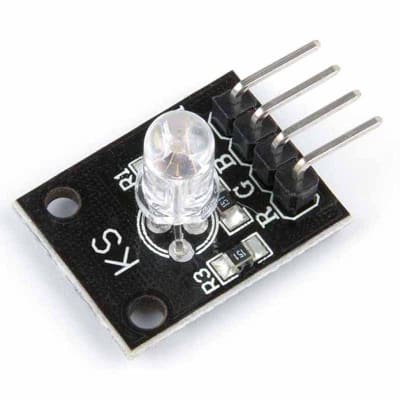
- Number of colors: KY-016 (5 mm) and KY-009 (SMD) are RGB; you can mix them to get any color. KY-011 (5 mm) and KY-029 (3 mm) are dual-color: green and red. KY-034 cycles through seven colors on its own; you cannot select the color in software.
- Pins: An RGB module uses three pins, a dual-color module uses two pins.
- Color mixing: You need PWM pins for intermediate colors. On the Arduino UNO these are 3, 5, 6, 9, 10 and 11.
- Resistor: Some boards do not have a resistor. If you do not see one, add 220–330 Ω for each channel.
Typical projects
- A night light with changing colors.
- A status indicator that shows progress with green and red light.
- An indicator whose color changes depending on temperature.
Related categories
Can you get any color with an RGB LED?
Yes, when you change the brightness of red, green and blue with PWM, you get different colors. White, however, is never perfectly pure.
Why are colors different from what I set in the code?
The pin order on the module may be different. Turn each color on individually to test the pins, then swap their order in the code.